Rentvine + PropertyManagement.com integration
Verified performance, powered by your system of record.
Connect Rentvine and PropertyManagement.com and your real data becomes verified, not self-reported claims.
Owner discovery is moving into AI search, and AI answers run on verified, structured data. Connect Rentvine to PropertyManagement.com and turn your real operating data into the proof owners actually trust.
Want to see how Rentvine works?
Fill out the form and we’ll walk you through it.
Tell us a bit about your portfolio and we'll show you how Rentvine can work for your company.
Why this matters.
Your data shouldn't sit still.
After you connect Rentvine and PropertyManagement.com, PropertyManagement.com uses a role-scoped API key that you create to securely read the data below. The integration is read-only and never writes data back to Rentvine.
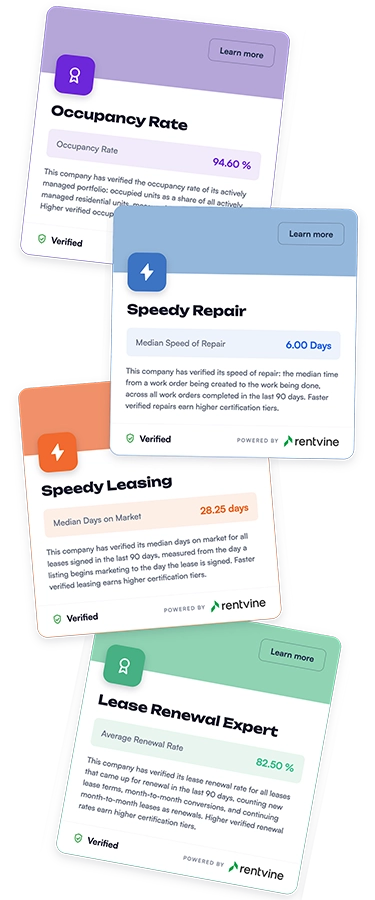
- Your performance becomes proof. Verified certifications pulled directly from Rentvine with owners that self-reported marketing claims never will.
- Owners are searching in new places. Owner discovery is moving into AI answers, and AI cites verified, structured, third-party data. Your Rentvine Smartsite gives you the well-structured owned site; a verified PropertyManagement.com profile is the independent second source AI engines cross-reference. They stack.
- No exports, no uploads, no stale numbers. Connect once and your certifications process automatically from your synced data. Manual report pulls are a thing of the past.
- It only works because Rentvine's open API. Included in every subscription -- no add-on tier, no developer sprint, no separate contract.
The connection is a read-only data pull. You stay in control of your data, and Rentvine simply keeps your profile current.
set up integration now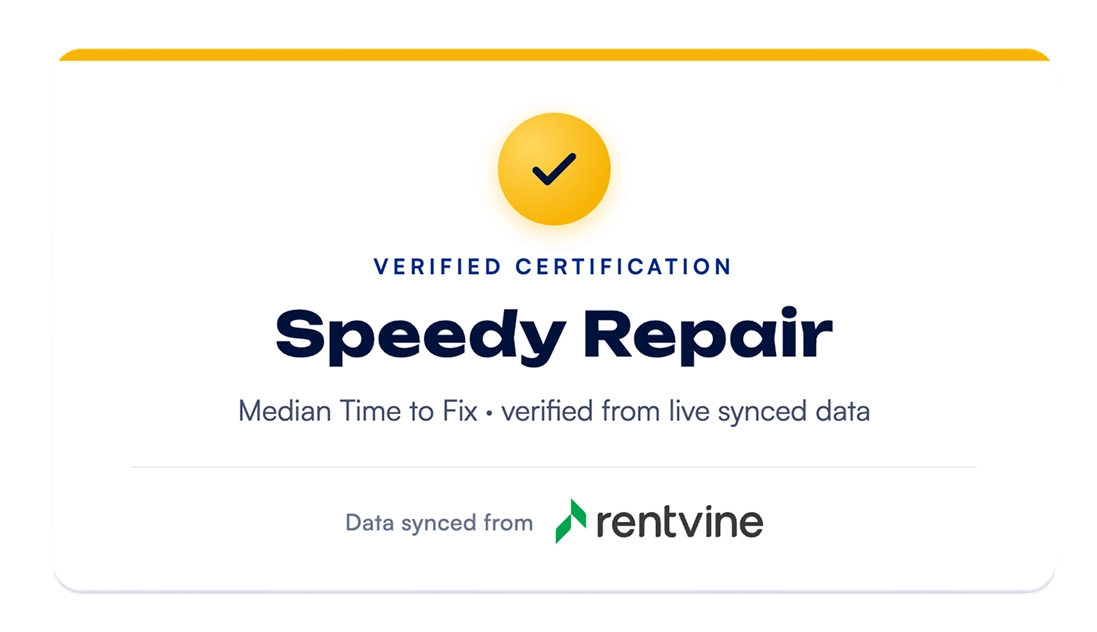
How it works.
Verified data does the selling for you.
Three ways a connected, verified profile changes how owners find and choose you.
01
Verified performance, powered by your system of record.
Connect Rentvine and your real data becomes verified certifications owners trust, not self-reported claims.
02
It's how owners will find you.
Owner discovery is moving into AI search, and AI answers run on verified, structured data.
03
It wins and converts the lead.
Third-party proof beats "trust me" and turns profile views into booked calls and signed doors.
Sync details.
What syncs between Rentvine and PropertyManagement.com
The connection is read-only — PropertyManagement.com reads the data below through a role-scoped API key you create, and never writes anything back into Rentvine. Here’s exactly what’s read and why.
Properties & units
- Property and unit records
- Active status
- Occupied/vacant status
Establishes portfolio size, map, and powers the Occupancy Rate certification.
Listings
- Advertised date
- Advertised rent
- Listing deactivation date
Powers median Days on Market for the Speedy Leasing certification and advertised-vs-actual comparison for Rental Price Accuracy.
Leases
- Lease start/end dates
- Rent amount
- Move-in/move-out and notice dates
- Lease status
Powers the Lease Renewal Expert, Speedy Leasing, and Rental Price Accuracy certifications. No applications, no screening data, no documents.
Work orders
- Created date
- Work-completed date
- Status
- Type
Powers median Time to Fix for the Speedy Repair certification.
Accounting
- Rent charges and rent payments (ledger level)
- Account categories
Powers Rent Collection Rate and Financial Trust. PropertyManagement.com never sees or asks for bank credentials — the sync reads ledger entries only.
Owners & tenants
- Names and contact details
Used to deliver owner surveys and link lease records. Owner and tenant contact information is used for one thing: delivering the services you signed up for. It is never added to the consumer matching funnel, never marketed to, and never used to send business to any other property manager.
Data refreshes automatically after you connect. For full data-handling commitments, contact support@propertymanagement.com.
Learn how to set it up.
Everything you need to connect PropertyManagement.com is in our Knowledge Base.
Step-by-step setup, what syncs, and how to manage your connection.
read our detailed setup guideValue you can see.
Read-only, always.
The connection only pulls data, and it never pushes changes back into your system.
You control your data.
You decide what's shared and can disconnect the integration anytime.
A neutral third party.
Verified performance only carries weight because PropertyManagement.com is independent.